
One docket for your entire caseload

Docket Central automatically builds your hearing schedule across every court — so your team can focus on traffic violations, not calendar management.
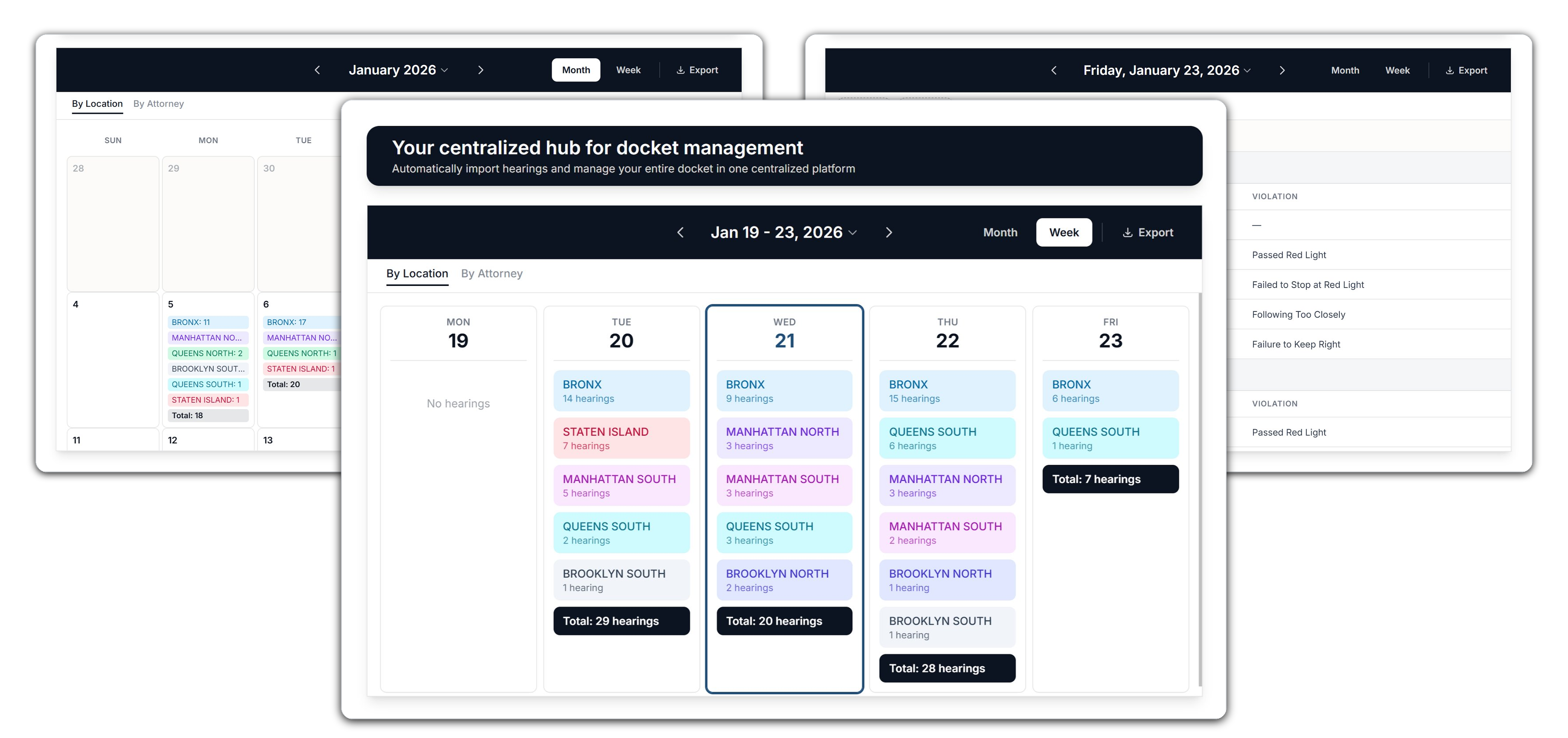
Screen Shots of Docket Central Calendar

Watch the walkthrough

See how a traffic firm goes from scattered court emails to a unified docket in minutes.

A closer look at each step

Import court emails and PDFs, then Docket Central automatically parses and organizes everything into your docket.

Court Emails

You control when imports run — Docket Central handles everything from there.
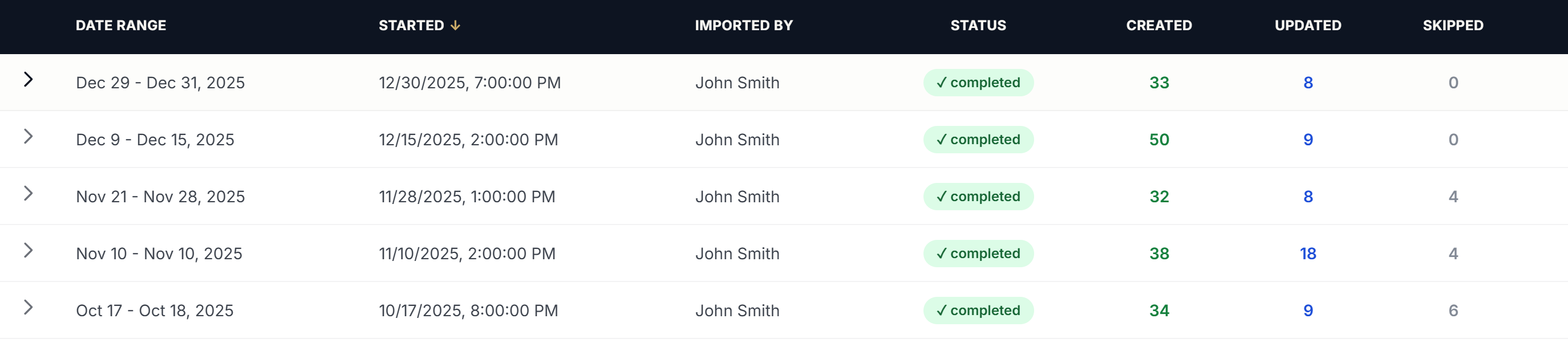
Docket Central Email Import

Court PDFs

Upload PDFs for processing—key fields are extracted automatically.
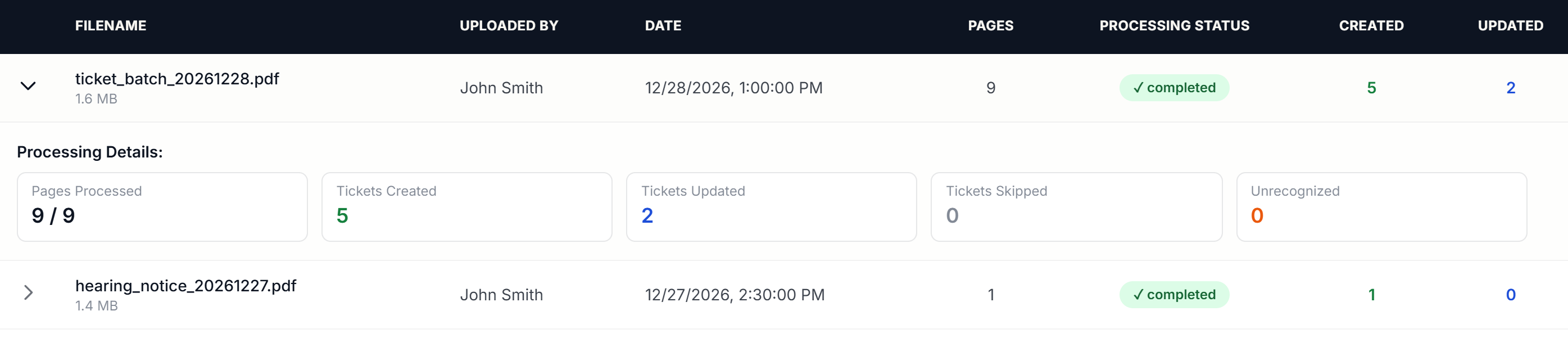
Docket Central PDF Import

Automated Processing

Once imports are run, Docket Central automatically parses court notices and PDFs, normalizes dates and locations, and merges related records across sources. Duplicate hearings are reconciled, updates are applied, and your docket stays consistent without manual review.

Unified Docket

Once processed, your entire docket is visible by day, week, or month—across all courts.
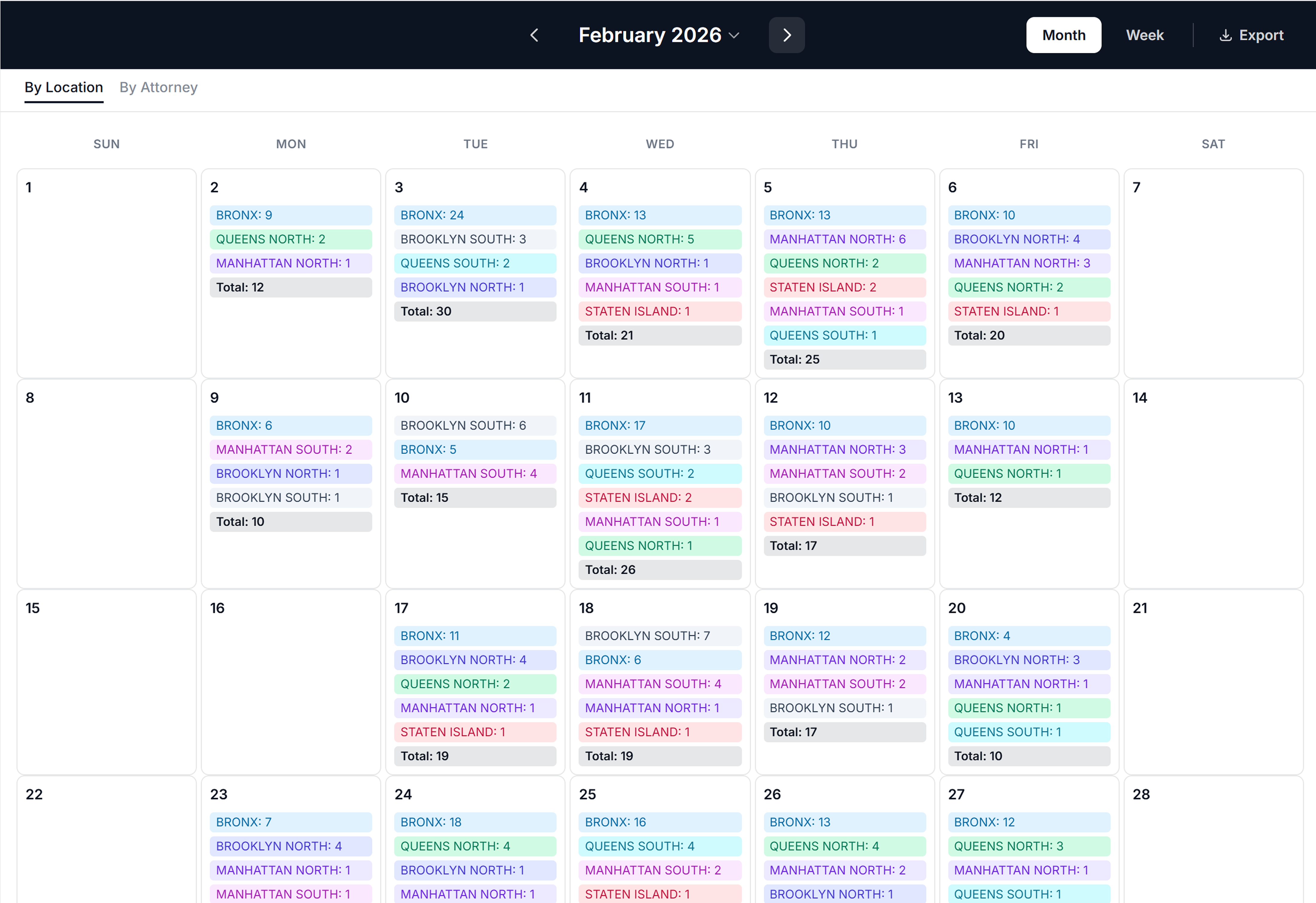
Docket Central Hearing Calendar

Export daily docket views to PDF or Excel — filtered by court or attorney.

Clients & Tickets

Search, organize, and drill into every client and ticket—automatically kept in sync with your docket.

Clients

Search and manage clients with linked tickets and assigned attorneys.
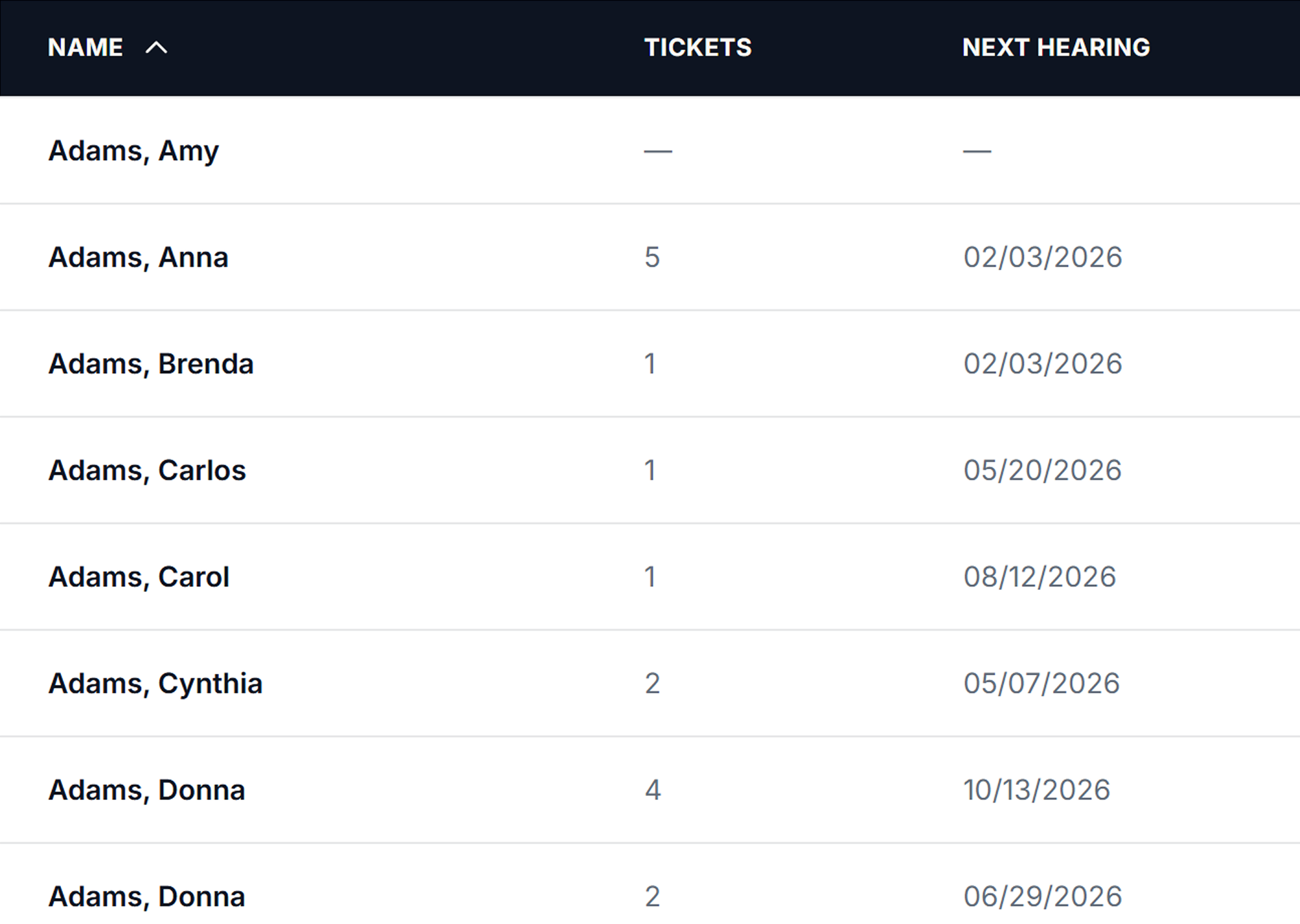
Docket Central Client table

Tickets

View individual tickets with hearing dates, courts, status, and related tickets.
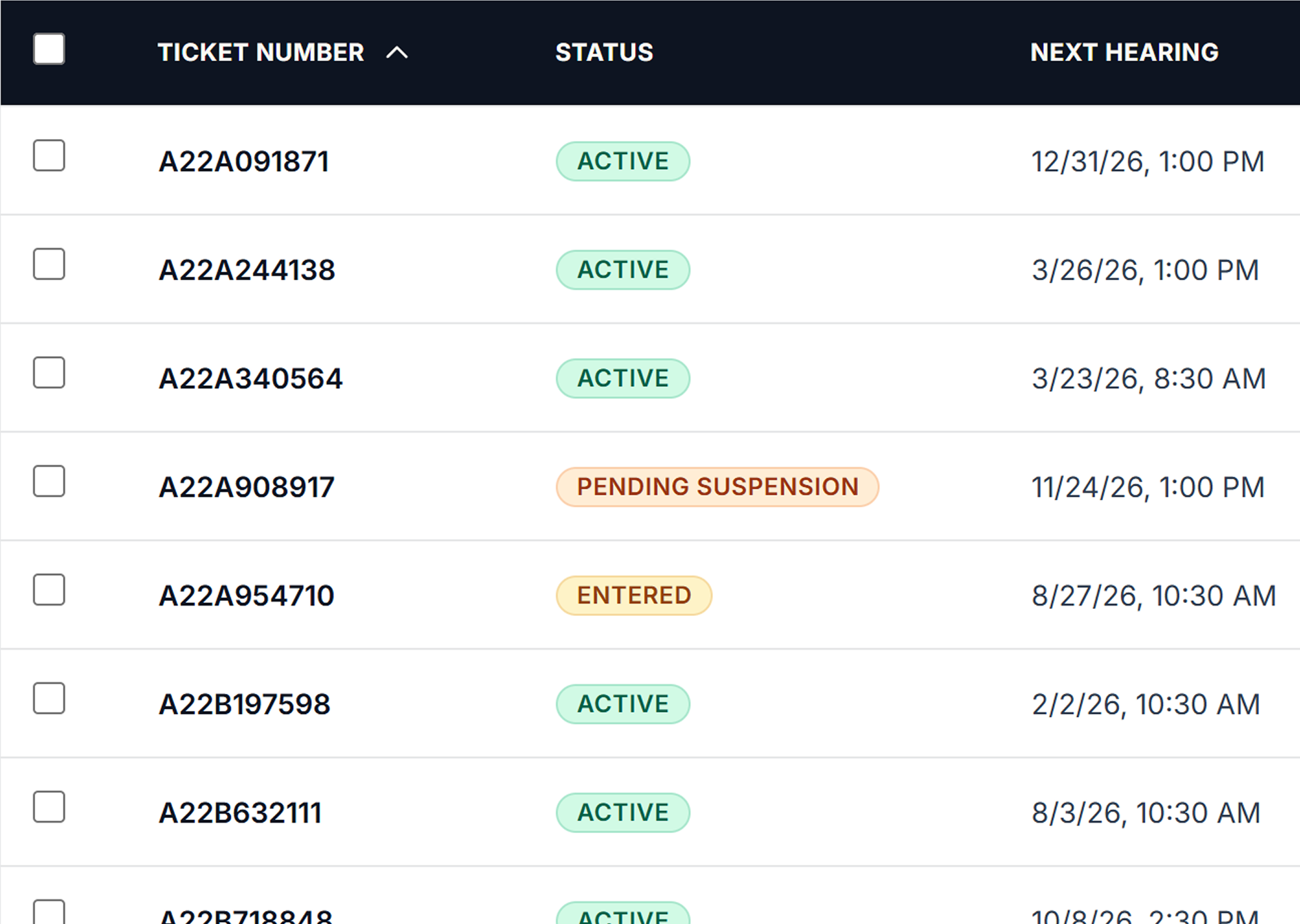
Docket Central Ticket table

Frequently Asked Questions

Common questions about how Docket Central works.

Does Docket Central automatically monitor my email or courts?
No. You manually initiate email imports or upload PDFs. Once imported, all parsing, normalization, and updates happen automatically.
Which courts does Docket Central support?
Docket Central currently supports NYC traffic courts and is designed to work with traffic and municipal courts across a wide range of jurisdictions.

If your firm works in a court we don’t yet support, we’ll work with you during onboarding to evaluate and add that jurisdiction as appropriate.
Can I filter by attorney or court location?
Yes. You can view and filter your docket by court location or assigned attorney across the calendar, clients, and tickets.
Can I export my docket or case data?
Yes. You can export daily docket views to PDF or Excel, filtered by court location or assigned attorney. This makes it easy to share schedules with staff or prepare court-ready reports.
Is my data secure?
Yes. Docket Central is designed to securely handle confidential legal and case information.

See Docket Central in action

No obligation. No sales pressure.
Thank you for your interest in Docket Central

You’ll be redirected shortly to schedule your demo.
If the page doesn’t load, please use the link below.

https://calendly.com/michael-poisler-braid-solutions/30min
Oops! Something went wrong while submitting the form.